This Hidden New iPhone Feature Could Cost You LOTS Of Money – Here's How To Switch It Off
We all know the frustration of crummy WiFi, right?
But is it worse than the frustration of being landed with a MAHOOSIVE bill at the end of the month – or running out of credit before you've even had the chance to fire out a few measly Snaps?
A feature recently added to the iPhone's operating system could cause just that to happen. But don't worry; there is a way to switch it off.
WiFi Assist
The WiFi Assist feature basically uses mobile data (ie, 3G/4G) to 'boost' shitty signals. Of course, this comes at a cost – so if you're paying for data, or if you're abroad, it could add huge amounts to your bill.
Here's how you can switch it off
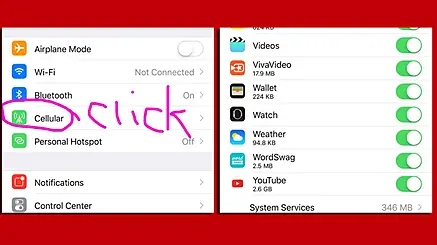
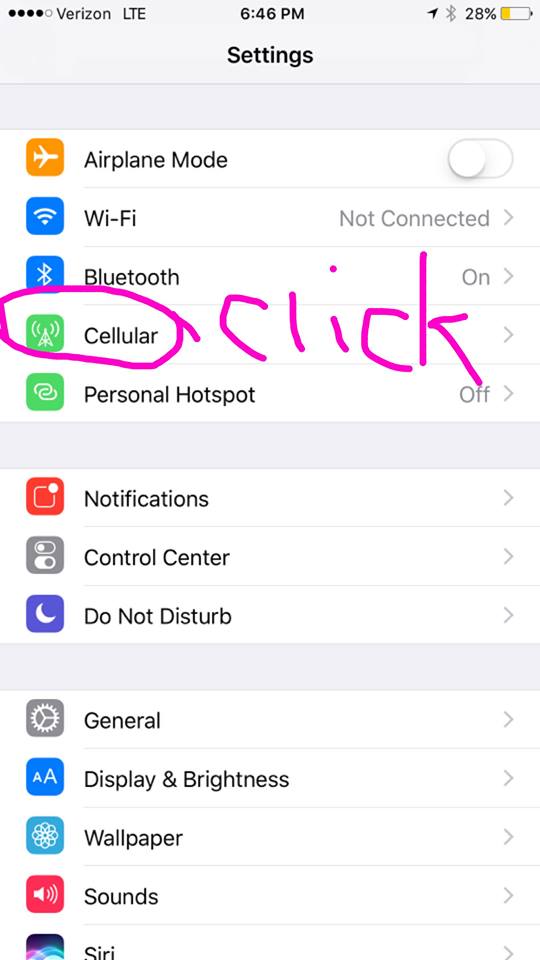
Go to your phone settings, and select 'Cellular'.
Next, click on WiFi assist and – you guessed it – disable it.
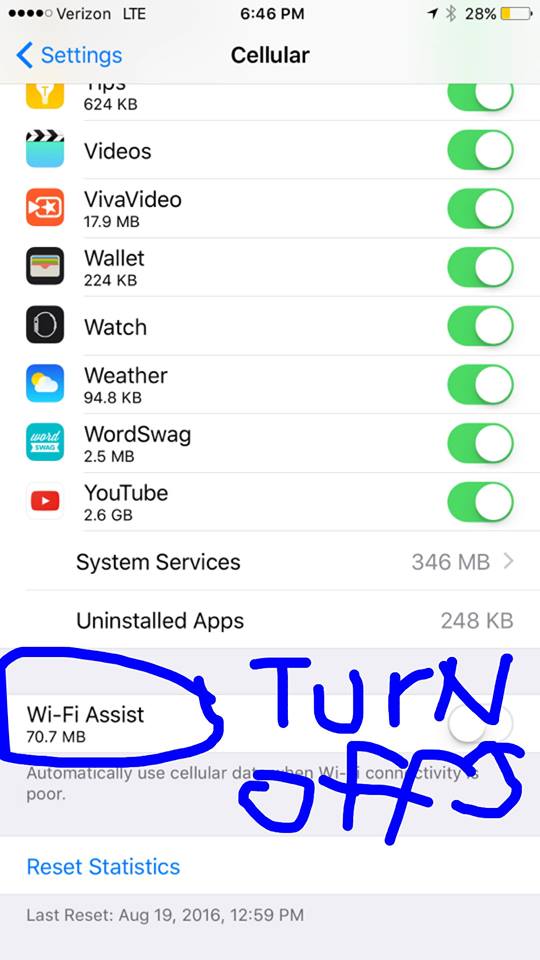
You can also check how much damage has been done by checking the figure underneath it. Hopefully for you, it's not too late...
Of course, you may prefer to leave it on if you often encounter weak WiFi. But at least if that's the case, you now know how to keep tabs on your spend. Because ain't nobody got time for killer bills at the end of the month.